
Features
Everything between the shelf and the receipt.
One system for the counter, the stockroom and the owner. Every plan has every feature.
Selling
A checkout that keeps up with the line.
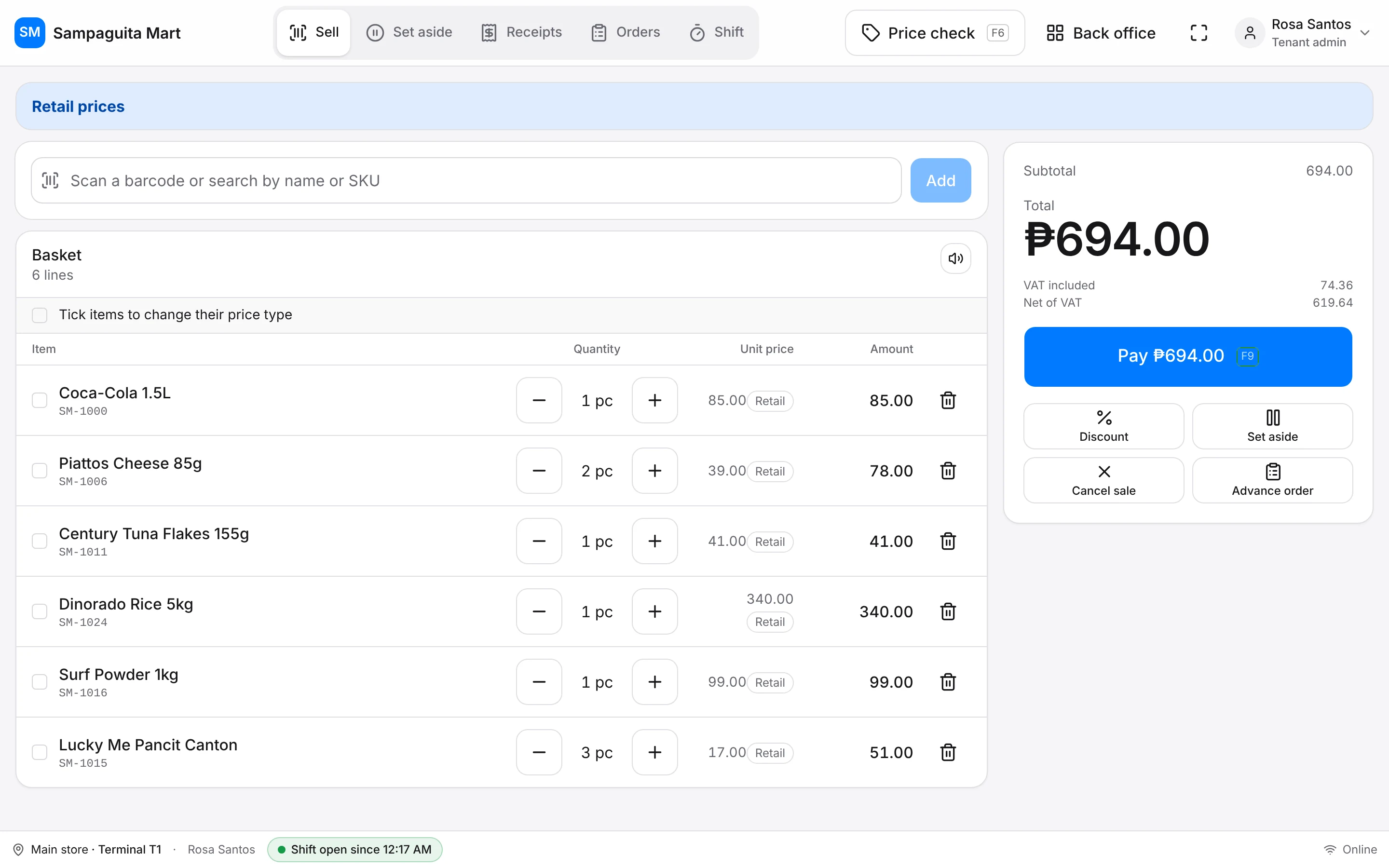
Scan or search
Barcode scanners work anywhere on the Sell screen. No barcode? Search by name or item code.
Every screen on a key
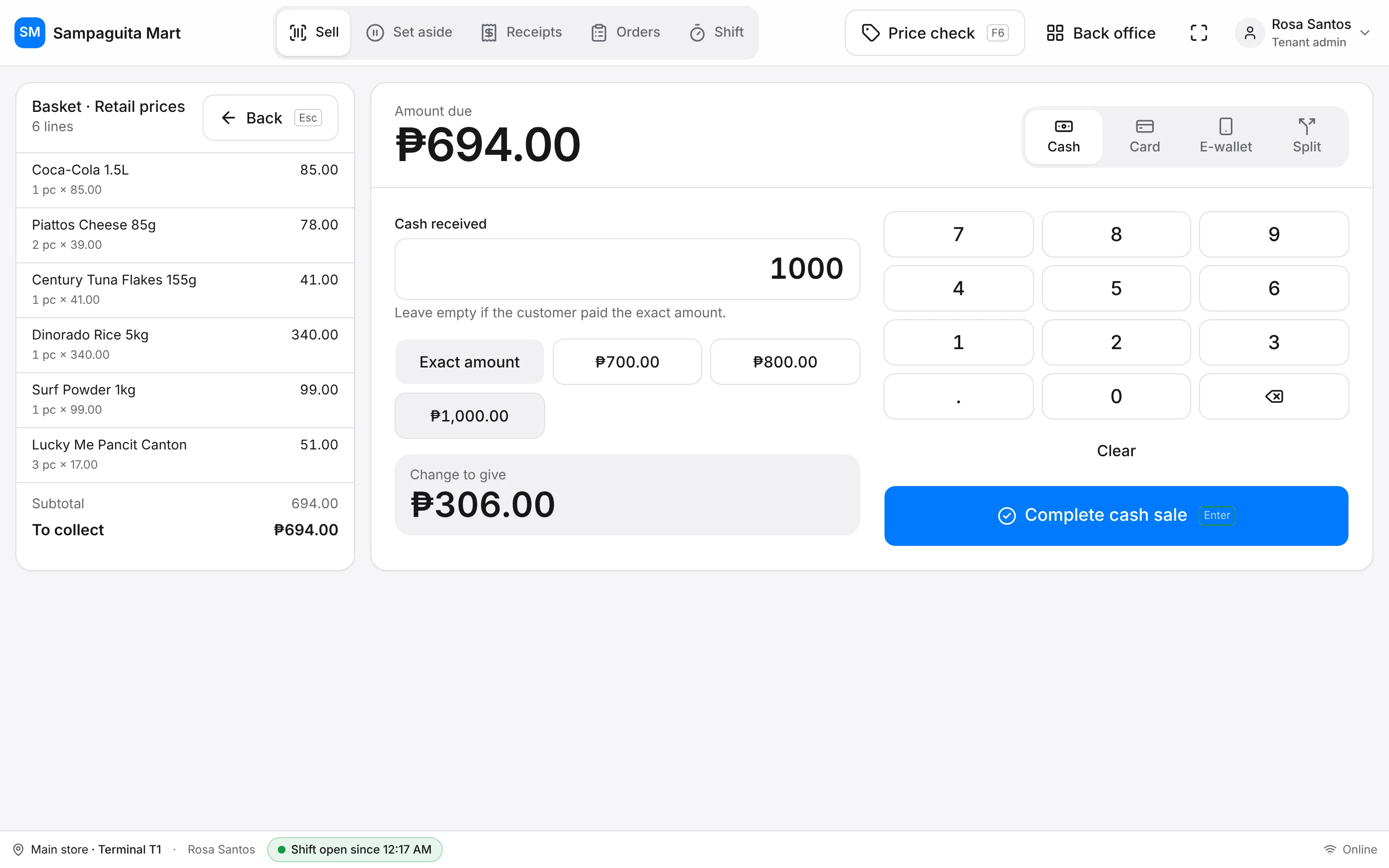
F1 Sell, F2 Set aside, F9 Pay, Enter to complete. Hands stay on the keyboard.
Cash, card, GCash and Maya
Split a payment, see the change to give in large numbers.
Set aside and advance orders
Park a basket for the next customer. Take a deposit now, finish the sale at pickup.
Returns and exchanges
From the receipt, with a supervisor's PIN when it needs one.
Shifts and cash drawer
Open with a float, record cash in and out, and close with the expected amount already worked out.
Receipts and printers
Print on the printer you already have.
USB and Bluetooth
58 mm and 80 mm thermal printers, straight from Chrome.
Cash drawer
Opens when a cash sale is paid, or with one button.
VAT your way
Turn VAT on or off for your business and set your own rate.
Inventory and purchasing
Know what you have, and what it cost.
Products with options
Sizes, colours and packs under one product, each with its own barcode and price.
Retail and wholesale prices
Schedule a new price for next week; the old one stays until then.
Purchase orders and deliveries
Order from suppliers, receive what actually came, and the item's cost updates by itself.
Stock counts and adjustments
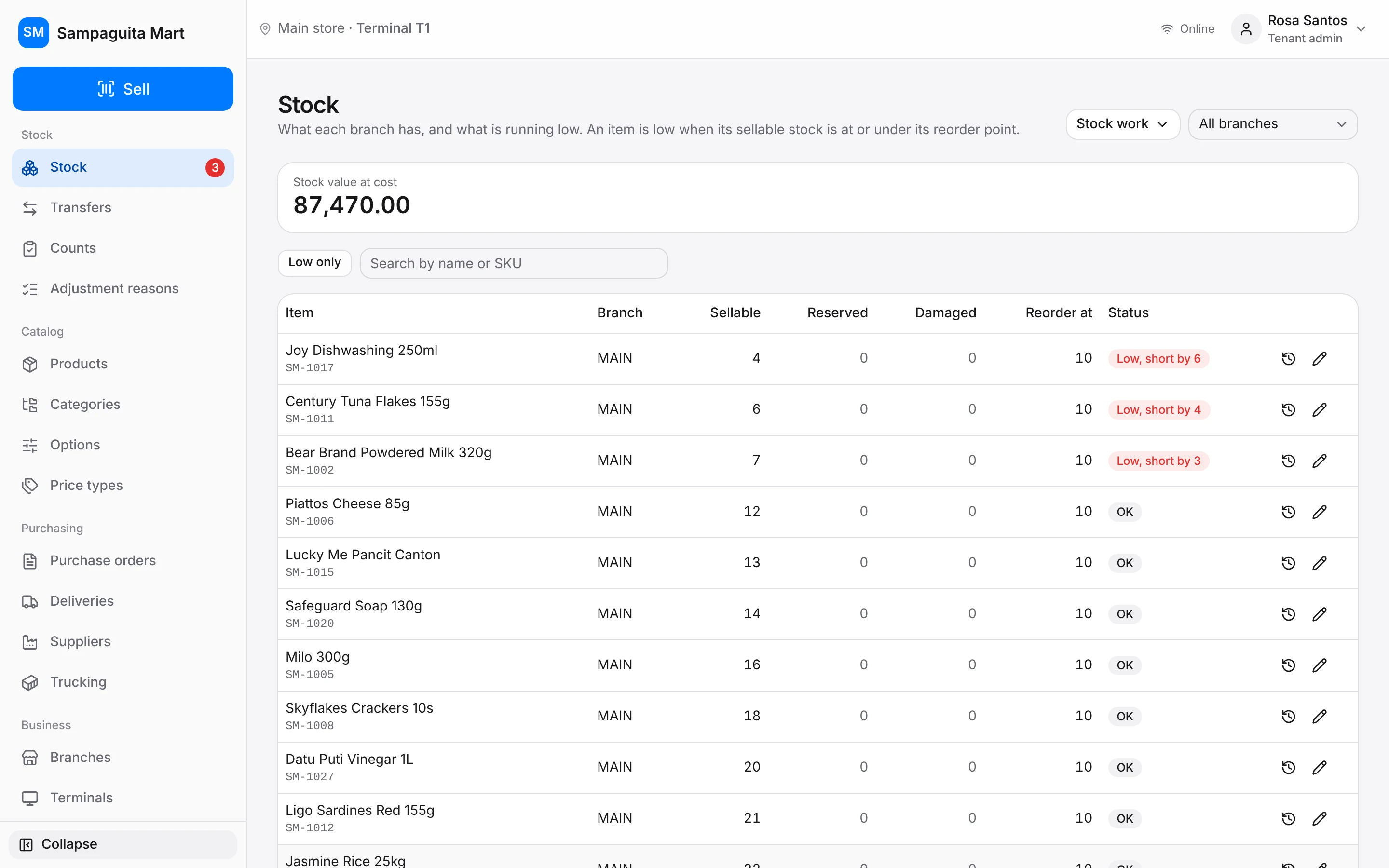
Count the shelves, then fix differences with a reason like Damaged or Lost.
Branches and transfers
Stock per branch, and move it between branches with a record of who sent and who received.
Stock history
Every change in one ledger, so you can see why a number moved.
Reports and control
Run the store from anywhere.
Sales and profit
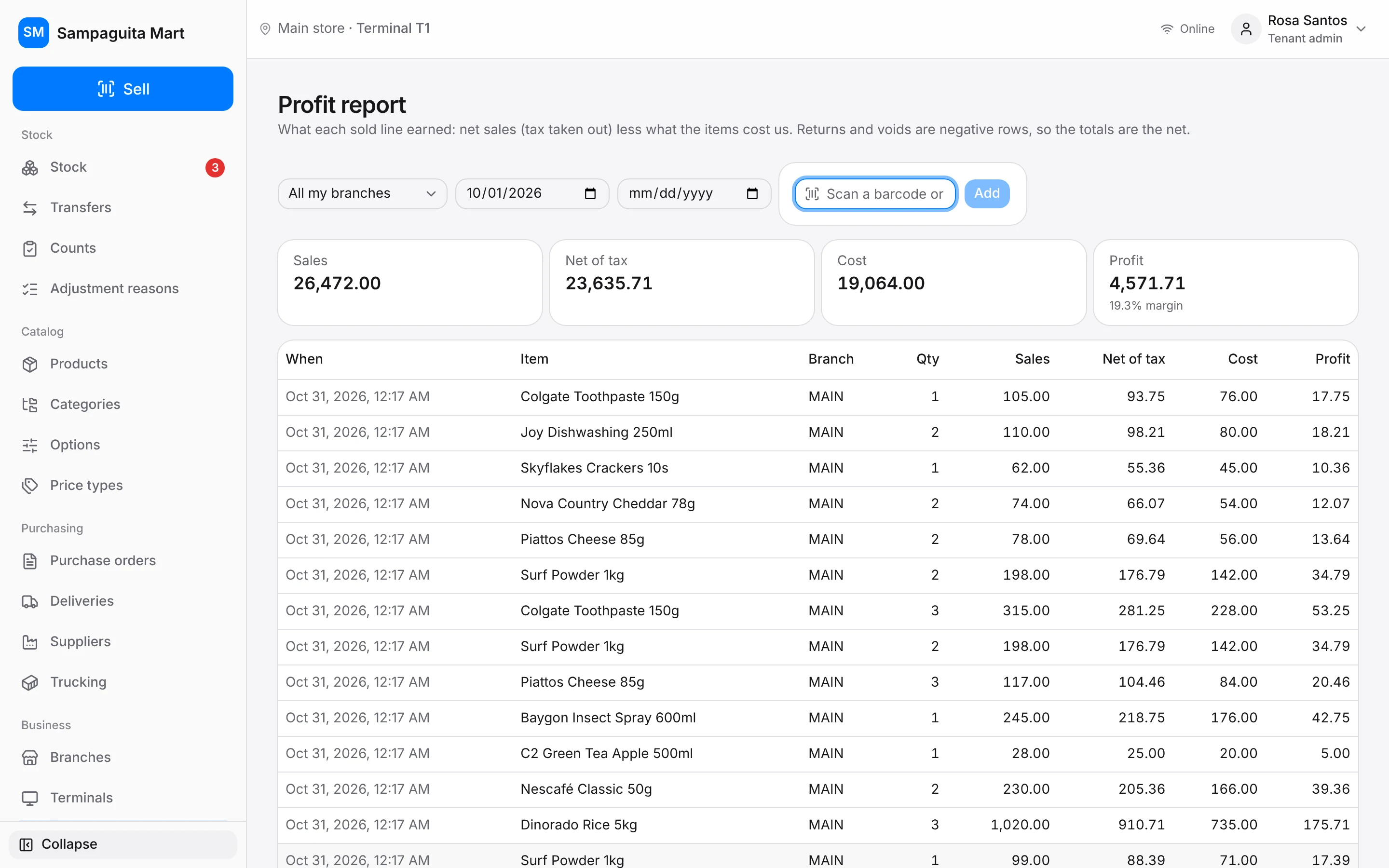
Profit based on what each item really cost you, for any dates, branch or item.
Roles for everyone
Owner, supervisor, cashier and stock clerk each see only what they need.
Supervisor PIN
Discounts, price changes and removals ask for a supervisor's PIN at the counter.
Approved devices only
Choose which computers can open your store, so staff can't sell from home.
Activity log
Who voided, who discounted, who changed a price, and when. Kept for good.
Moving in
Bring your products with you.
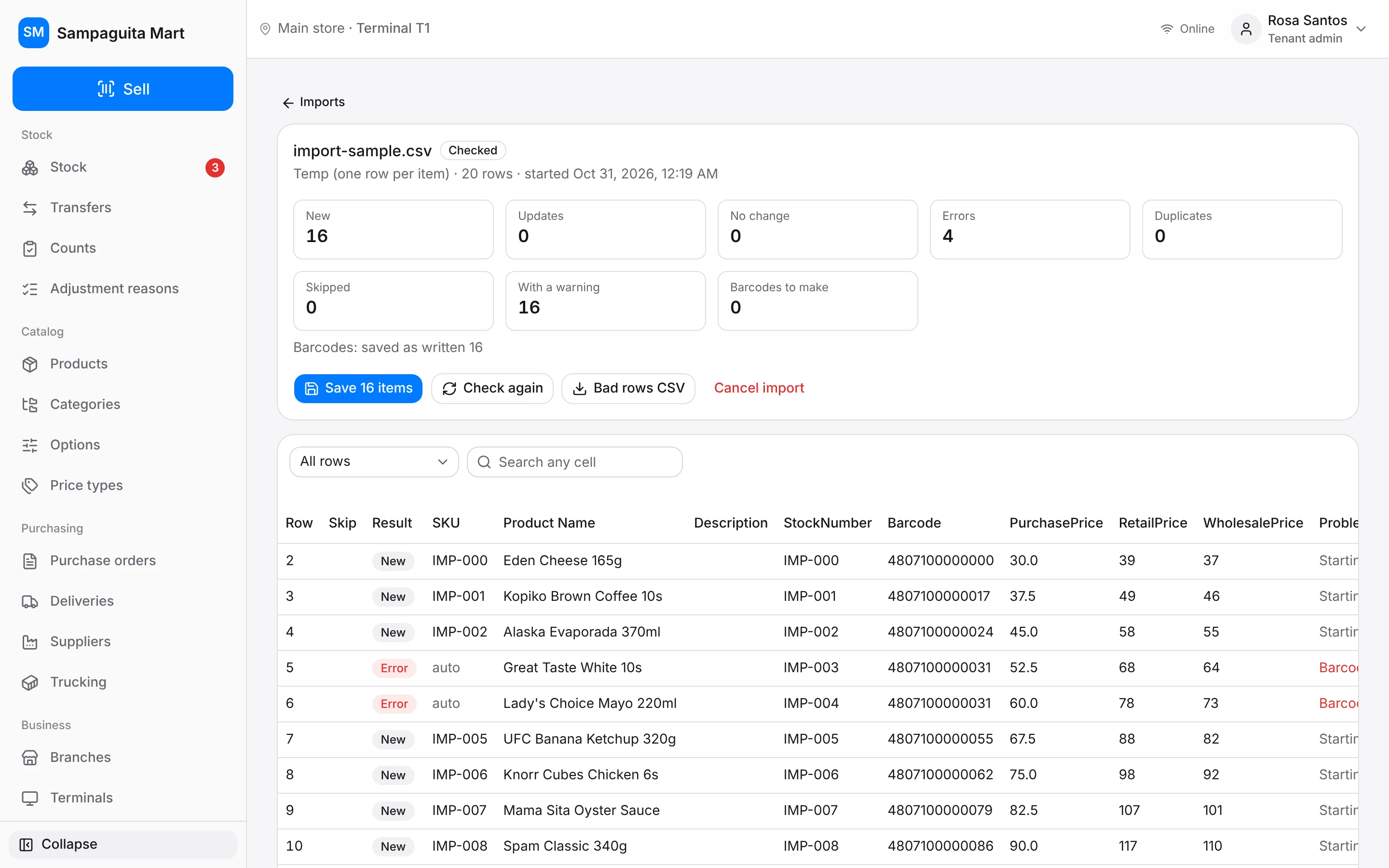
Upload an Excel or CSV file from your old POS. Retail OS checks every row, imports the good ones and gives you a list of the rows that need fixing, so nothing is skipped without you knowing.
See it with your own products.
Seven days, every feature, no card.